 Firnity Discord for Confluence
 The Commands area contains two resource types: saved page lists and create-page commands. Each owns a Discord slash command name. Both appear in one list, identified by Create page or Page list. Use New create command or New page list to open the corresponding editor.
Configure a create-page command
- Open Commands, select New create command.
- Choose a unique command name and slash command.
- Choose whether the person selects the parent page in Discord or the command always uses one selected parent.
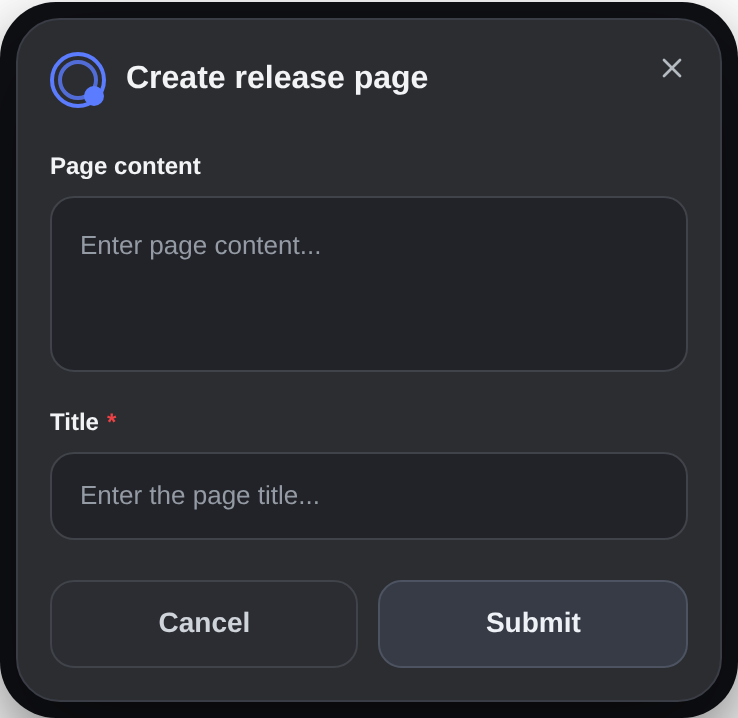
- Arrange the modal fields. Title is always present and required. Page content and Attachments are optional choices.
- Optionally configure the Discord message command and private-thread follow-up.
- Review the Create modal and Created page previews, then save.
Space-owned commands can select parents only from that space. Global commands can use parents from any space. The parent is checked again with the linked user's Confluence access when the command runs.
If a fixed parent page is new and does not appear in search, paste its URL from the current Confluence site into the page picker to load it directly. In Space Settings, the parent must belong to the current space.
Understand the previews
The Create modal preview shows field order and required markers. It is visual only. The Created page preview can be sent as a separate Discord test message. Neither preview saves the command or creates a Confluence page.
Registration warnings
Saving or deleting a page list or create-page command stores the change before updating Discord slash commands. If registration fails, keep the saved configuration and follow the warning. A later ordinary save retries registration from the current configuration.
Before deleting a command, remove it from every active panel that uses it.
User workflowCreate a page from Discord →